Coaching Client Management Software
Manage all your coaching clients from a single dashboard. Track progress, set goals with auto-progress, assign programs, monitor session compliance, and generate per-client AI insights.
IronCoaching gives coaches a centralized hub for managing every athlete relationship. View client details, assign programs, track compliance rates, and monitor personal records — all from one dashboard built specifically for strength coaches.
Last updated 2026-04-05
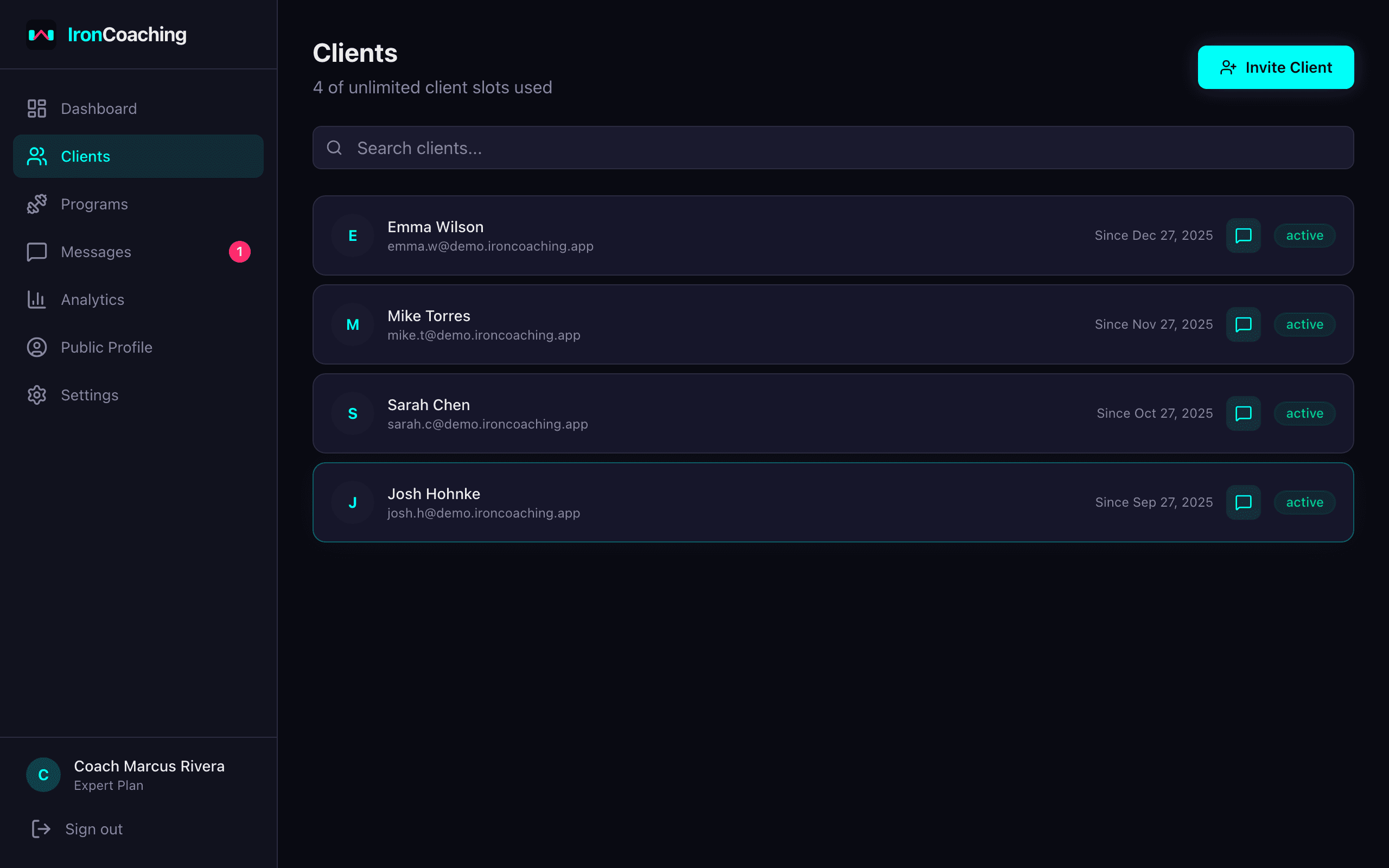
The client dashboard — manage all your coaching relationships from one place.
Key Features
Client Dashboard
See all your clients at a glance — status, current program, recent activity, and compliance rate.
Invite System
Send invite codes to new clients. They install IronLedger, enter the code, and instantly connect to your coaching dashboard.
Progress Tracking
View client workout sessions, personal records, e1RM trends, and volume data in real time via IronLedger integration.
Compliance Monitoring
Track which clients are following their programs, how many sessions they've completed, and identify athletes who need attention.
Client Goals (Pro+)
Set structured goals for each athlete — strength, weight, body composition, habit, or competition targets. Strength goals auto-update when athletes hit new PRs.
AI Insights Per Client (Expert)
Generate goal-aware AI training analysis directly from each client's profile. The AI uses their goals and prediction history for personalized recommendations.
Relationship Management
Manage client statuses — active, paused, or ended. Keep notes and history for each coaching relationship.
Scalable Architecture
From 1 client to 100+. The dashboard scales with your business, with filters and search to stay organized.
How It Works
- 1
Invite your clients
Generate unique invite codes and share them with athletes. They connect via the IronLedger app.
- 2
View their data
Once connected, their workout sessions, PRs, and compliance data appear on your dashboard.
- 3
Assign programs
Create or clone a program template and assign it to the client with one click.
- 4
Monitor and adjust
Track progress, spot issues in compliance or recovery, and adjust programs accordingly.
Related Features & Solutions
Program Builder
Create structured training programs with a spreadsheet-like interface. Build supersets and circuits with exercise blocks, choose from 7 metric presets, attach video demos, and pick from a 200+ exercise library. Assign programs directly to athletes through IronLedger.
Learn morePerformance Analytics
Make data-driven coaching decisions. Track e1RM progression, weekly volume, PR timelines, RPE accuracy, and mesocycle comparisons across all your athletes.
Learn moreMessaging
Communicate with your athletes directly within IronCoaching. Keep coaching conversations, form checks, and program adjustments in one professional platform instead of scattered across WhatsApp and DMs.
Learn morePersonal Training
Learn moreFitness Coaching
Learn moreOnline Strength Coaching
Learn moreFrequently Asked Questions
Basic plan supports up to 10 clients, Pro up to 20 clients, and Expert has unlimited clients. All plans include the full client management dashboard.
You generate a unique invite code and share it with the athlete. They enter the code in their IronLedger app, and the connection is established instantly. No manual data entry needed.
Yes, with IronLedger integration (Pro and Expert plans). You see real-time workout sessions, sets, reps, weights, RPE, personal records, and compliance data for every connected client.
You can set a client's status to "ended" which removes them from your active list but preserves the history. Their data remains in IronLedger — they don't lose anything.
Set structured goals (strength, weight, body comp, habit, competition) with numeric targets and deadlines. Strength goals auto-update progress when athletes hit new e1RM PRs in IronLedger. Progress bars are color-coded: green (100%+), cyan (75-99%), yellow (50-74%), pink (under 50%). Available on Pro and Expert plans.
Ready to level up your coaching?
Create your free IronCoaching account and start building programs, managing clients, and growing your business today.