Workout Program Builder for Coaches
Create structured training programs with a spreadsheet-like interface. Build supersets and circuits with exercise blocks, choose from 7 metric presets, attach video demos, and pick from a 200+ exercise library. Assign programs directly to athletes through IronLedger.
IronCoaching's program builder gives coaches a professional, spreadsheet-like interface to create periodized training programs. Build programs with precise sets, reps, RPE, and rest periods — then assign them directly to your athletes via the IronLedger app.
Last updated 2026-04-05
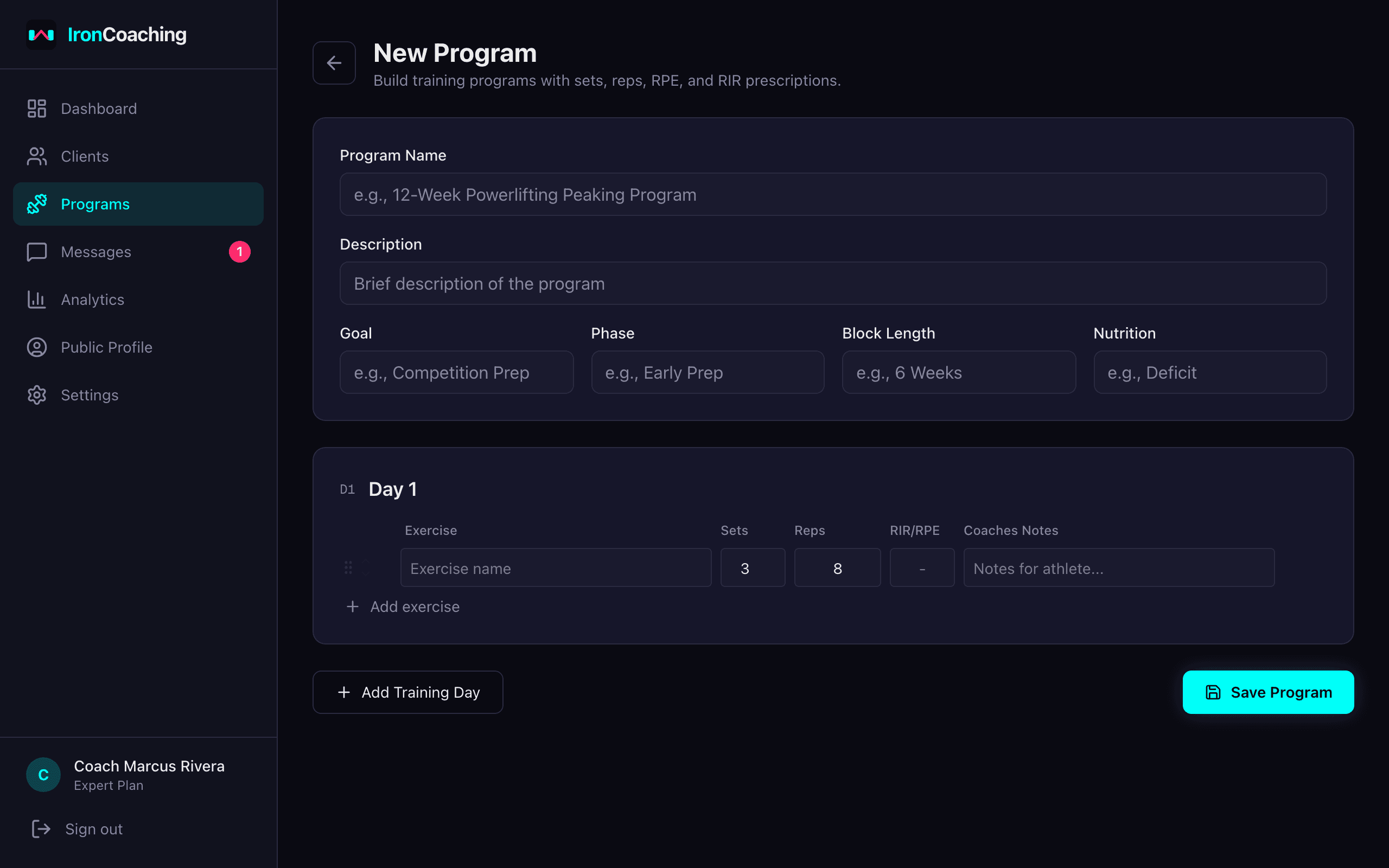
The program builder — create structured programs with sets, reps, RPE, and coaching notes.
Key Features
Spreadsheet-Style Editor
Familiar row-and-column layout for fast program creation. Add exercises, sets, reps, RPE, RIR, rest, and coaching notes.
Exercise Library
Browse 200+ built-in exercises or add your own. Search by muscle group, category, or equipment. Bulk import via CSV.
Exercise Blocks
Group exercises into supersets, trisets, giant sets, or circuits with A/B/C labels. Set rest between and after each block.
Metric Presets
Not every exercise is sets × reps. Choose from 7 presets — Strength, Timed, Distance, Cardio, Hold, AMRAP, or EMOM — to show the right columns.
Video Demonstrations
Attach YouTube or video URLs to any exercise. Athletes see a play button linking directly to the demo in their IronLedger app.
Multi-Day Programs
Structure programs across multiple training days. Supports any split — PPL, upper/lower, full body, or custom layouts.
Program Metadata
Set training goals, mesocycle phases, block lengths, and nutrition notes to give athletes full context.
Direct Assignment
Assign programs to clients with one click. Programs sync instantly to their IronLedger app.
PDF Export
Export branded PDFs for clients who prefer printed programs or for marketing your coaching services.
Program Library
Save and reuse program templates. Clone and customize programs for individual clients.
How It Works
- 1
Create a program
Use the builder to define training days, exercises, sets, reps, and intensity targets.
- 2
Customize for your client
Clone templates and adjust loads, volume, and notes for each athlete.
- 3
Assign via IronLedger
Send the program directly to your client's IronLedger app with one click.
- 4
Track compliance
Monitor completion rates, adherence, and RPE accuracy on your dashboard.
Related Features & Solutions
Client Management
Manage all your coaching clients from a single dashboard. Track progress, set goals with auto-progress, assign programs, monitor session compliance, and generate per-client AI insights.
Learn morePerformance Analytics
Make data-driven coaching decisions. Track e1RM progression, weekly volume, PR timelines, RPE accuracy, and mesocycle comparisons across all your athletes.
Learn moreIronLedger Integration
IronCoaching connects directly with IronLedger, the workout tracker app for athletes. See real-time training data, assign programs, and track compliance without asking clients to log anything extra.
Learn moreOnline Strength Coaching
Learn morePowerlifting Coaching
Learn morePersonal Training
Learn moreFrequently Asked Questions
Yes. The builder supports any training split or periodization model — PPL, upper/lower, full body, conjugate, block periodization, and more. You define the structure, exercises, and progressions.
When you assign a program, it syncs directly to your client's IronLedger mobile app. They can view the program, log their sets, and track progress — all in real time.
Absolutely. Save any program as a template, then clone and customize it for individual clients. Most coaches maintain a library of base templates.
Programs export as clean, professional PDFs with your branding (Pro and Expert plans) or IronCoaching branding (Basic plan). Great for sharing with clients or using as marketing materials.
Yes. The program builder is available on all plans including the free Basic plan. You can create unlimited programs and assign them to up to 10 clients on Basic.
IronCoaching includes a library of 200+ built-in exercises covering all major muscle groups and equipment types. You can also add custom exercises or bulk import via CSV. The library powers muscle group mapping in analytics.
Ready to level up your coaching?
Create your free IronCoaching account and start building programs, managing clients, and growing your business today.