
IronLedger Integration
IronCoaching and IronLedger share the same backend, enabling real-time data sync between coaches and athletes.What is IronLedger?
IronLedger is a free workout tracking app for iOS and Android. Athletes use it to:- Log sets, reps, and weights for every exercise
- Follow programs assigned by their coach
- Track personal records and training history
- View analytics and progress over time
How the Integration Works
- No setup required — once an athlete accepts your invite, their data is automatically visible
- Real-time sync — workouts appear on your dashboard within seconds
- Two-way programs — programs you build in IronCoaching appear in the athlete’s IronLedger app
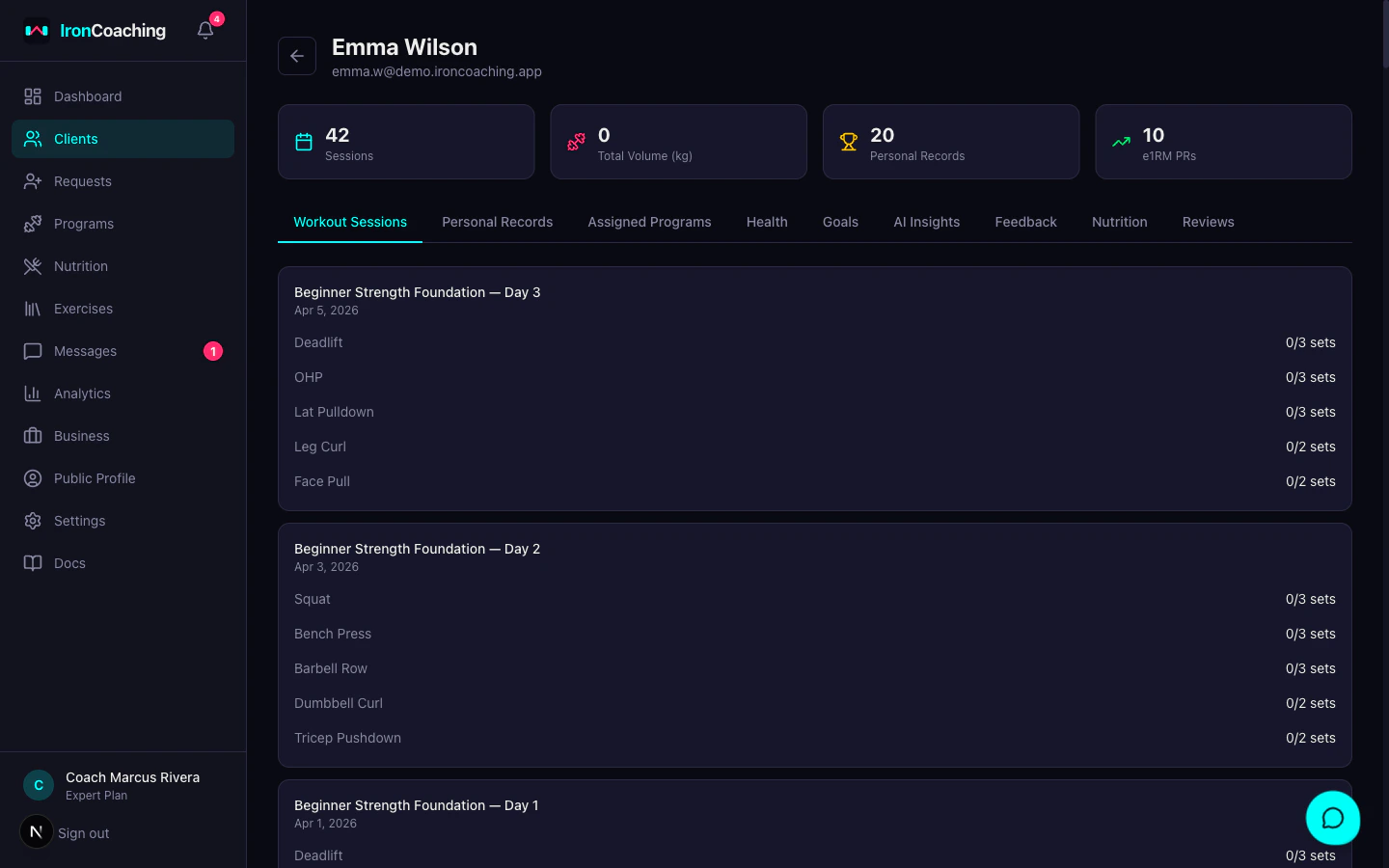
What Coaches Can See
| Data | Description |
|---|---|
| Workout sessions | Every logged session with full exercise detail |
| Set logs | Weight, reps, completion status, RPE for each set |
| Personal records | Weight PRs, estimated 1RM, volume records |
| Session metadata | Start/end time, notes, skipped status |
| Compliance | Sessions completed vs. expected per week |
Weeks in IronLedger
Programs with multiple weeks are fully supported in the IronLedger app. Athletes see:- Week groupings in the program view — each week is displayed as a labeled section with its days nested inside
- Deload indicators — weeks marked as deload weeks are clearly labeled in the app
- Per-week day numbering — Day 1, 2, 3 resets each week, so athletes always know their position within the current week
Push Notifications
Athletes receive push notifications on their mobile device for key coaching events:| Event | Notification |
|---|---|
| Program assigned or updated | Coach’s name + program name |
| New message from coach | Message preview |
| Workout feedback reviewed | Coach has reviewed their session |
| Health alert triggered | Alert summary |
Push notifications require the athlete to have enabled them on their device. If an athlete isn’t receiving push notifications, ask them to check notification permissions in their phone’s Settings app and in IronLedger’s notification settings screen.
Privacy
- Coaches can only see data from athletes who have accepted their invite
- Athletes can end the coaching relationship at any time
- Coaches cannot modify athlete workout data
IronLedger integration requires Pro plan or higher. Basic plan coaches can manage clients but won’t see IronLedger workout data.