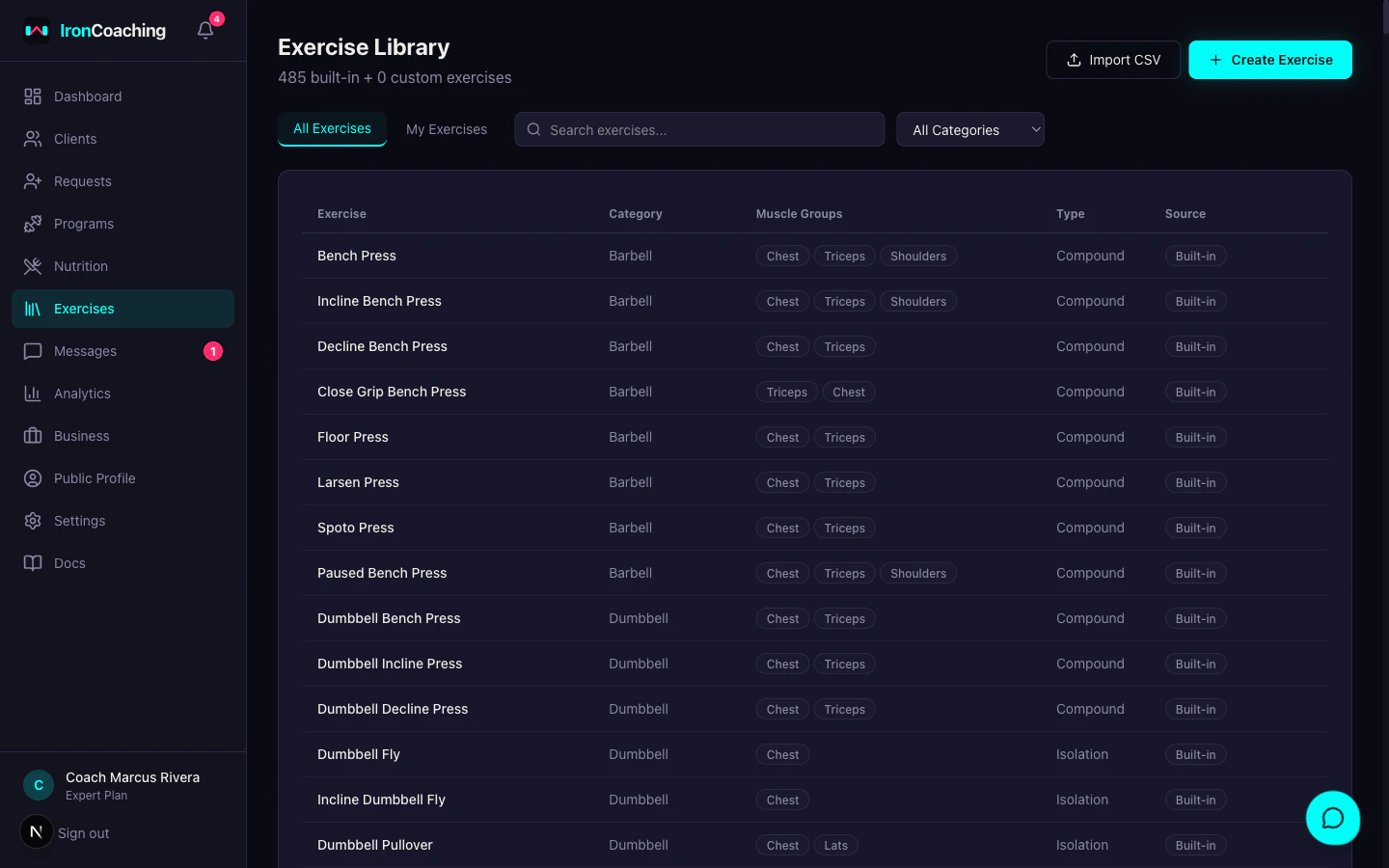
Exercise Library
The exercise library contains 490+ built-in exercises across 13 equipment categories and supports up to 100 custom exercises you create yourself.
Browsing Exercises
Go to Dashboard > Exercises to open the library. Each exercise shows:
- Name — e.g., “Barbell Bench Press”
- Muscle Groups — primary muscles targeted
- Category — Barbell, Dumbbell, Machine, Cable, Bodyweight, Kettlebell, Cardio, Resistance Band, Suspension/TRX, Strongman, Medicine Ball, Mobility/Rehab, Other
- Type — Compound or Isolation
Searching & Filtering
Use the search bar to find exercises by name. Results update as you type.
Filter by:
- Category — Barbell, Dumbbell, Machine, Cable, Bodyweight, Kettlebell, Cardio, Resistance Band, Suspension/TRX, Strongman, Medicine Ball, Mobility/Rehab, Other
- Muscle Group — Chest, Back, Shoulders, Quads, Hamstrings, Glutes, Calves, Biceps, Triceps, Forearms, Abs, Obliques, Lower Back, Traps, Lats, Full Body, Hip Extension, Hip Flexion, Adductors, Abductors
Adding Custom Exercises
- Click Add Exercise in the library
- Fill in:
- Name (required)
- Muscle Groups — select one or more (required, drives the analytics frequency-volume chart)
- Category — select from dropdown
- Equipment — select from dropdown
- Is Compound — toggle on for multi-joint exercises
- Click Save — your custom exercise is available immediately in the program builder
Always tag a custom exercise with at least one muscle group. Without it, the exercise is invisible to the analytics frequency-volume aggregate and the muscle-group toggle on the analytics dashboard.
Bulk Import (CSV)
Import multiple exercises at once:
- Click Import CSV in the library
- Upload a
.csv file with these columns:
| Column | Required | Example |
|---|
| name | Yes | ”Bulgarian Split Squat” |
| muscleGroups | Yes | ”Quads, Glutes” |
| category | Yes | ”Compound” |
| equipment | Yes | ”Dumbbell” |
| isCompound | No | ”true” or “false” |
- Review the preview and confirm — exercises are added to your library
Custom exercises are private to your account. They appear alongside built-in exercises in the program builder’s exercise picker.
Using Library Exercises in Programs
When adding exercises in the program builder, the exercise picker searches the library. Selecting a library exercise links it, which enables:
- Muscle group mapping in analytics (frequency/volume charts)
- Consistent naming across programs and athletes