Exporting Programs
Export your programs to share with athletes outside of IronLedger, or for your own records.
XLSX Spreadsheet
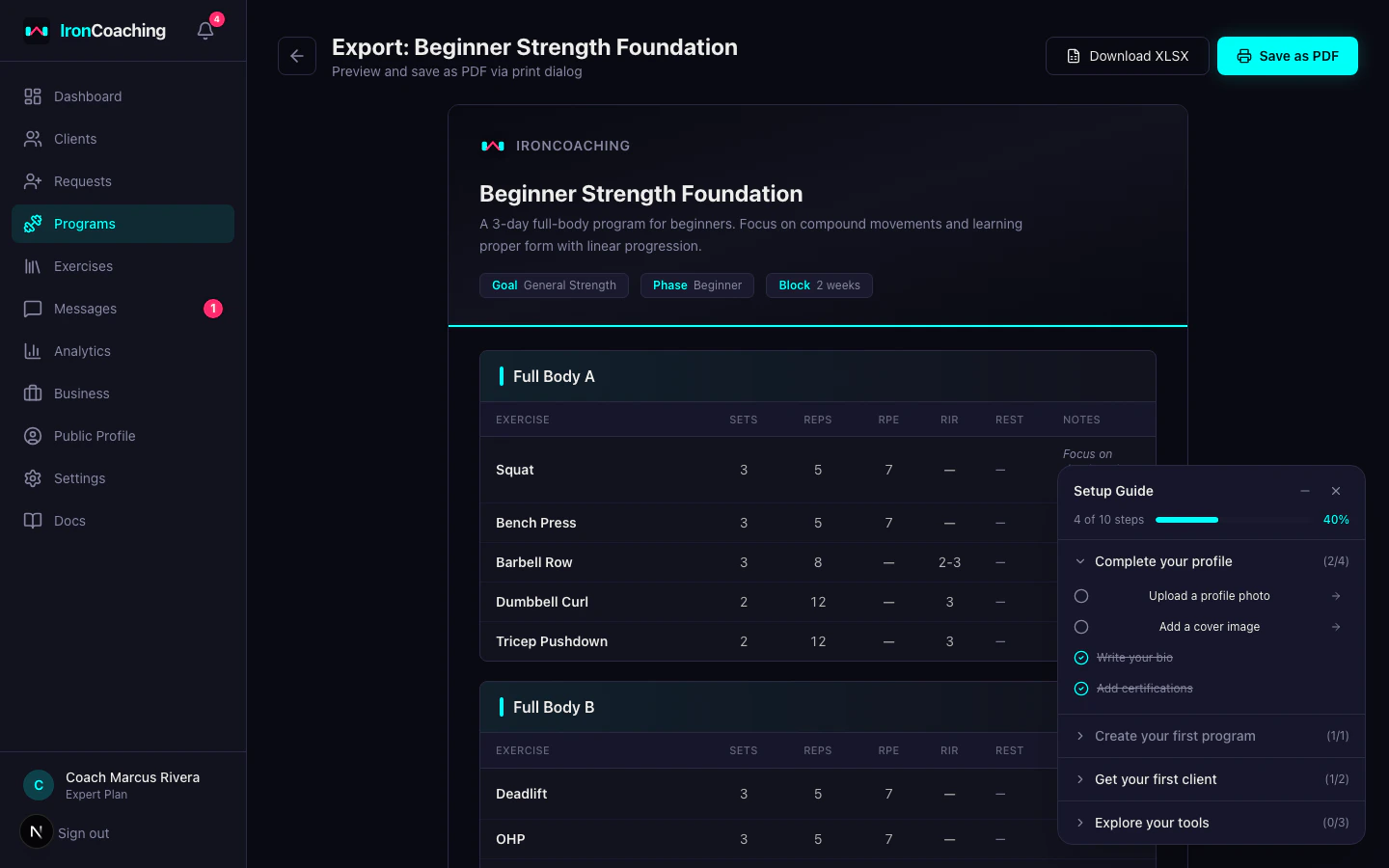
- Opens in Excel, Google Sheets, or any spreadsheet app
- Each training day gets its own sheet
- Columns: Exercise, Sets, Reps, RPE, RIR, Rest, Notes
- Includes program metadata header
Branded HTML
- Print-ready formatted document
- Includes your coaching branding (Pro+ plans)
- Can be saved as PDF from the browser print dialog
- Professional layout with your business name and colors
How to Export
- Go to Dashboard > Programs
- Open the program you want to export
- Click the Export button
- Choose XLSX or HTML format
- The file downloads automatically
When a program has multiple weeks, exports include a section header for each week:
- Week name — e.g., “Week 1: Base Building”
- Deload badge — shown when the week is marked as a deload week
- Week notes — any focus area or intensity guidance you added to the week
This applies to both XLSX and PDF exports. Single-week programs export without week headers (same format as before).
Branding (Pro+ Plans)
Pro and Expert coaches can customize exports with:
- Business name displayed in the header
- Primary color for accents and headings
- Logo (if uploaded in your profile)
Basic plan exports include IronCoaching branding instead.
For PDF exports, use the HTML format and press Ctrl/Cmd+P in your browser to save as PDF.