Weekly Reviews

Review your athletes’ training week, record video feedback, generate AI-powered summaries, and deliver structured reviews — all from the client detail page.

How It Works

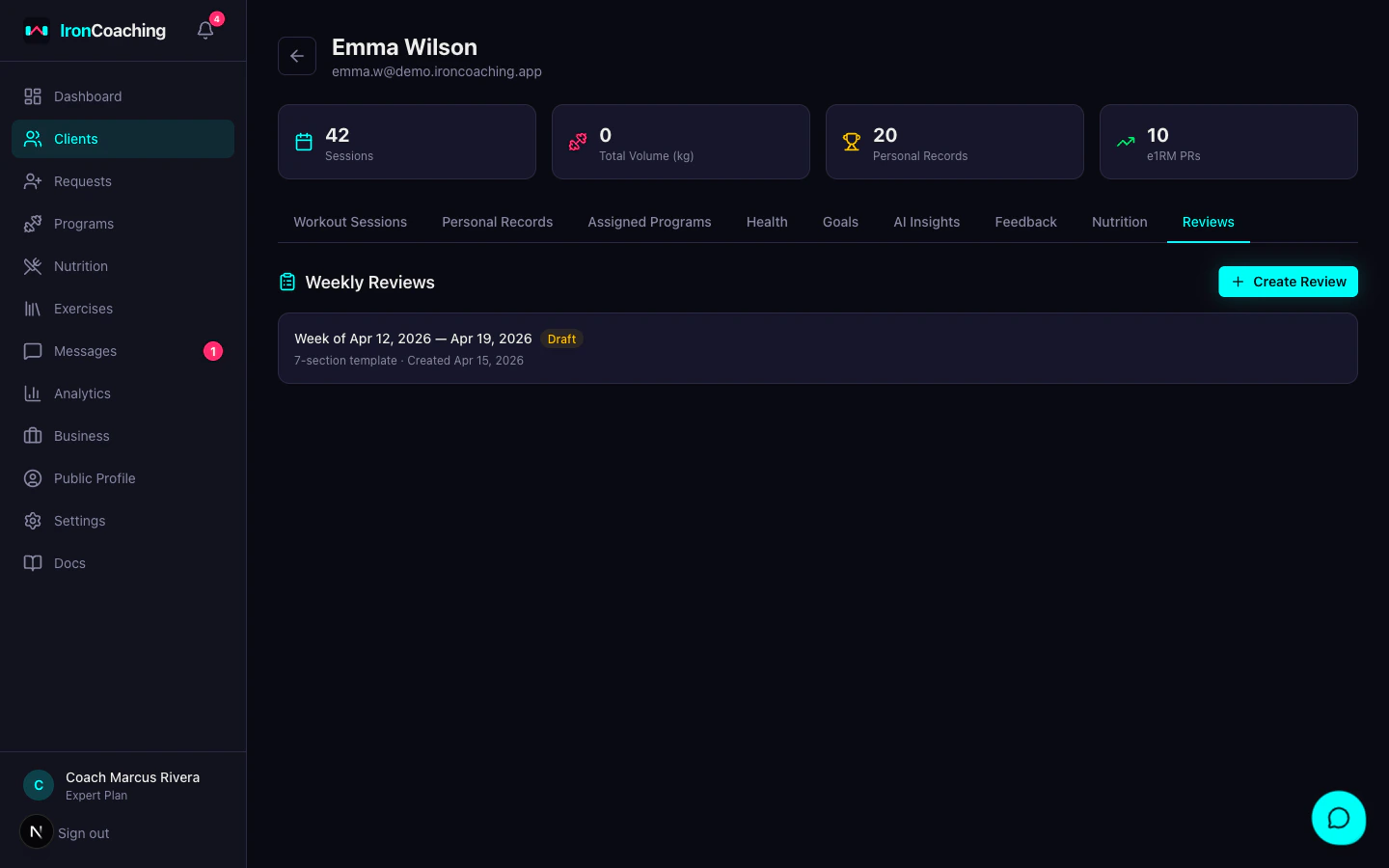
Client reviews tab showing completed weekly reviews and Create Review button
  1. Go to Dashboard > Clients and select an athlete
  2. Click the Reviews tab
  3. Click Create Review
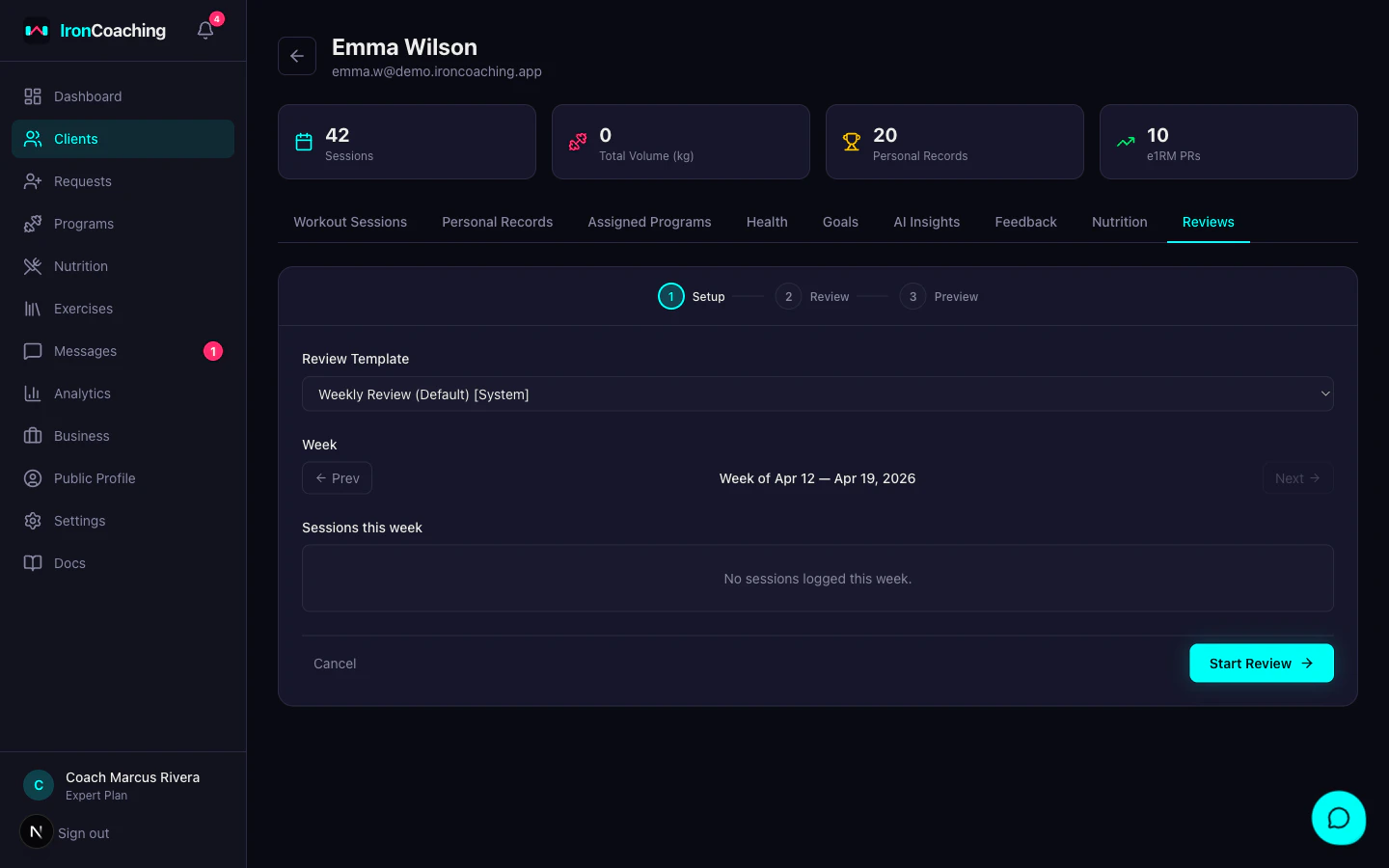
Create weekly review wizard showing Step 1 setup with template selection
  1. Choose a review template and confirm the week’s sessions
  2. Review session details, add notes, record a video, and generate an AI summary
  3. Preview what the athlete will see and click Send Review
The athlete receives a notification and can view the review in their client portal under Reviews.

Review Templates

Templates control which sections appear in the review and what the athlete sees. Each template has 8 toggleable sections that can be reordered.
SectionDescriptionMin Plan
Session DetailsCompleted vs prescribed — sets, reps, weightsBasic
Client NotesPer-exercise and session notes from the athleteBasic
Coach Text NotesYour written feedbackBasic
Client Training VideosForm check videos linked from messagesPro
Volume & TrendsWeekly volume, frequency, e1RM changesPro
Coach Video WalkthroughRecorded via the in-app recorderPro
AI Session SummaryPer-session + block-aware analysisExpert
Block ProgressPosition in training block, deload timingExpert

Starter Templates

Three starter templates are created automatically:
  • Quick Check — Session details, client notes, coach text notes. For mid-week check-ins.
  • Weekly Review (default) — Everything except block progress. Standard weekly feedback.
  • Deep Dive — All 8 sections. For end-of-block or prep check-ins.
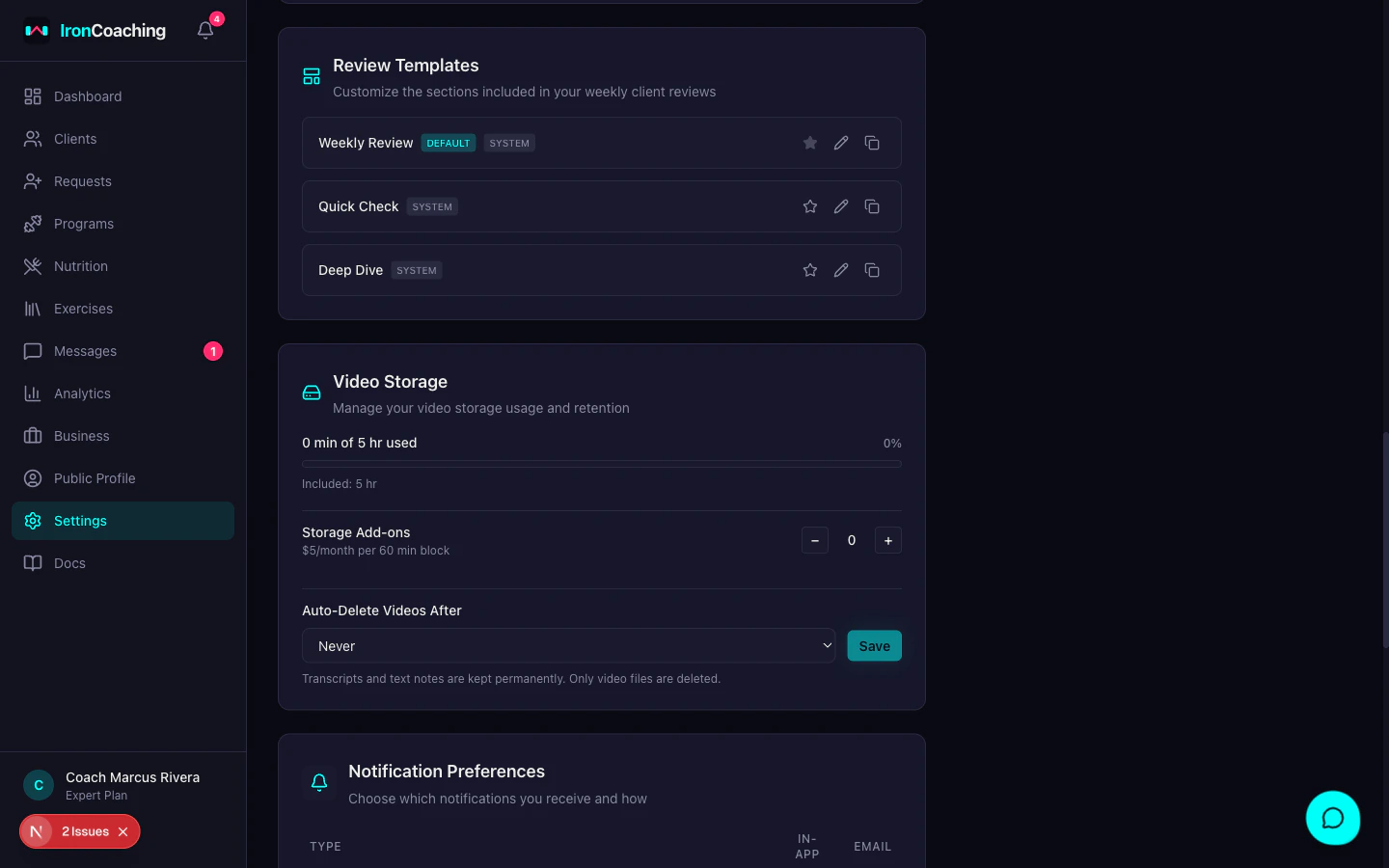
Manage templates in Dashboard > Settings > Review Templates. You can duplicate, edit, and create custom templates. System templates can be duplicated but not deleted.
Settings page showing Review Templates configuration and Video Storage section

Sharing Control

Each section has a Share toggle that controls whether the athlete sees it. Use this to keep analytical sections (like volume trends) visible only to you while sharing the coach video and text notes with the athlete.

In-App Video Recorder

Record video feedback directly in the review workspace — no external tools needed.

Capture Modes

  • Webcam — talk directly to your athlete
  • Screen + Webcam — walk through data on screen with a picture-in-picture webcam overlay
  • Screen Only — record your screen without camera

After Recording

Your video is automatically:
  • Uploaded to Mux for adaptive streaming
  • Transcribed with timestamped segments
  • Chaptered by AI (topic boundaries auto-detected)
Athletes can watch the video with a full transcript and click any segment to jump to that moment.

AI Session Summary

Expert plan coaches can generate an AI-powered analysis for each weekly review. The AI summary includes:
  • Per-session breakdown — what was completed vs prescribed, adherence rate, standout performances
  • Block-aware context — where the week sits in the training block, volume progression, deload recommendations
  • Trends — volume changes vs previous weeks, e1RM progressions
  • Recommendations — 3-5 actionable items for the upcoming week
The summary is editable before sending — you can adjust the AI’s analysis or add your own notes.
AI summaries use Claude Haiku for cost efficiency. They count toward your daily AI insight usage limit.

Dashboard Widget

The Clients Ready for Review widget on your dashboard shows which athletes have unreviewed sessions this week. Click a client to jump directly to their Reviews tab.

Athlete Experience

When you send a review, the athlete receives:
  • An in-app notification
  • An email notification
  • The review appears in their Reviews page in the client portal
Athletes see only the sections you chose to share (via the template’s Share toggles). They can watch your video with transcript, read your notes, and view the AI summary.

Plan Requirements

FeatureBasicProExpert
Session details + text notesYesYesYes
Custom templatesYesYes
Video recorder (60 min storage)YesYes
Volume & trendsYesYes
AI summary + block progressYes
Video recorder (300 min storage)Yes

Manage video storage

Learn about storage limits, add-on blocks, and retention settings.